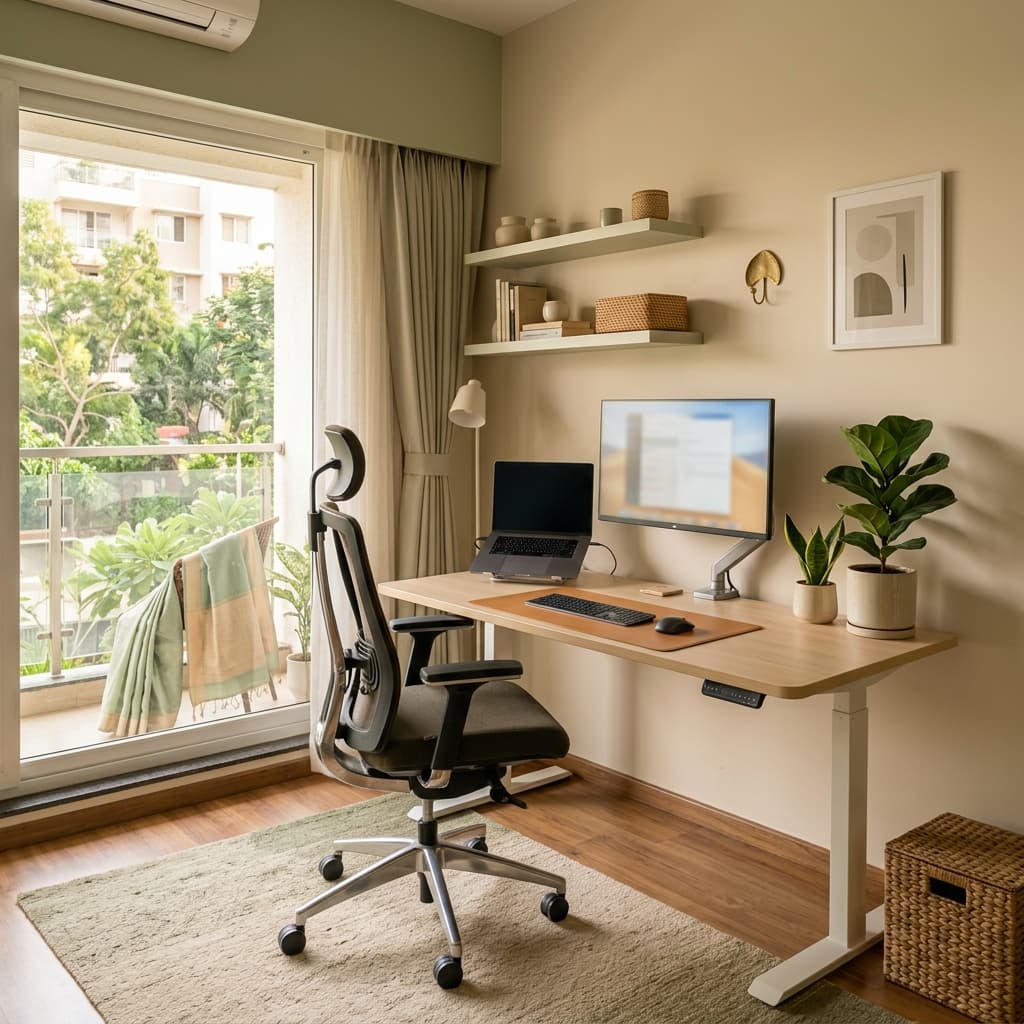
The Rise of Working from Home: Protecting Your Spine
With thousands of corporate professionals working remotely across tech corridors like Powai, Thane, and Mulund, physiotherapists have observed an alarming surge in "Tech Neck," scapular knotting, and acute lumbar disc bulges. Sofa laptop use and kitchen chair setups subject the spine to double the intradiscal load compared to an ergonomically aligned seated posture.
Essential Workstation Ergonomic Principles
- Monitor Eye Alignment: The top third of your display must align directly with eye level. Working on a low laptop screen pulls the cervical spine forward, multiplying the head's effective weight from 5 kg to up to 27 kg. Learn how we address this in our Cervical Spondylosis & Text Neck Care.
- Lumbar Lordosis Support: Ensure your lower back is supported by a curved lumbar contour or small rolled towel to preserve natural spinal curvature. For specific spine strengthening, review our top 7 lower back pain exercises.
- 90-Degree Elbow & Wrist Posture: Forearms should rest horizontally on your desk or armrests with relaxed shoulders, avoiding chronic trapezius tightening.
- Flat Feet on Floor: Knees should bend at approximately 90–100 degrees with feet resting flat on the ground or a footstool to avoid pelvic tilt.
The Dynamic Movement Routine: 20-20-20 & Micro-Breaks
Even the best ergonomic chair cannot prevent the stagnation of static sitting. Practice these three non-negotiable habits:
- The 20-20-20 Rule: Every 20 minutes, gaze at an object 20 feet away for 20 seconds to relax ocular and suboccipital muscles.
- Postural Chin Tucks: Gently retract your chin backward without tilting your head down. Hold for 3 seconds, repeat 5 times every hour.
- Standing Lumbar Extensions: Stand up, place your hands on your lower back, and gently arch backward 5 times to decompress lumbar discs.
Suffering from persistent neck stiffness, shoulder pinching, or lower back ache? Book an ergonomic assessment and home physiotherapy visit with Dr. Kruttika Suryavanshi today.